Table of Contents
ToggleSmart home technology has moved past the “futuristic luxury” stage and into practical, affordable territory. If you’ve been curious about automating your lights, adjusting your thermostat from your phone, or checking security cameras while away, smart home bundles make that transition smoother and cheaper than buying devices individually. They solve the compatibility puzzle, cut upfront costs, and come with ecosystem support built in. This guide walks you through what bundles are, why they’re worth considering, which categories fit DIY homeowners best, and how to pick the right setup for your needs and skill level.
Key Takeaways
- Smart home bundles offer 15–30% cost savings compared to buying devices individually while eliminating compatibility headaches and decision paralysis for first-time users.
- The five primary bundle categories—Lighting, Security, Climate/Energy, Whole-Home Starter Kits, and Entertainment—let you pick based on your specific pain point and household needs.
- Choose your smart home bundle ecosystem (Amazon Alexa, Google Home, or Apple HomeKit) carefully, as this decision locks you into that platform’s device range and integration capabilities.
- Most bundles feature plug-and-play setup; place your hub centrally, connect to WiFi, add devices one at a time through the app, and test before securing everything in place.
- Ensure your WiFi is strong and current (router less than two years old), read bundle fine print to confirm what’s included and whether a separate hub is required, and prioritize ecosystem expandability over short-term savings.
What Are Smart Home Bundles?
Smart home bundles are pre-packaged collections of compatible devices sold together, usually at a discount compared to buying each item separately. Think of them as starter kits. A bundle might include a smart speaker or hub, a few smart plugs, light bulbs, a thermostat, and maybe a door lock, all designed to work seamlessly with one another.
They typically center around a central hub or voice assistant, Amazon Alexa, Google Home, or Apple Siri, that acts as the command center. From there, you control everything through your phone, voice commands, or automated routines. Bundles come in different sizes and focus areas. Some emphasize security (cameras, door locks, sensors), others lean into climate control and energy efficiency, and many are all-purpose starter kits for beginners.
The key appeal: you’re not guessing whether Device A will talk to Device B. The bundle maker has already vetted compatibility and usually tested the devices together. That saves time, frustration, and often money on your initial investment.
Benefits of Choosing a Smart Home Bundle
Cost Savings and Value
Bundles typically cost 15–30% less than buying the same devices individually. Manufacturers bundle to move inventory and lock in customer loyalty: you benefit from volume discounts. If a bundle includes a smart speaker (usually $50–150), a few smart plugs ($15–25 each), light bulbs ($10–20), and a hub, you’re looking at $150–250 in separate purchases squeezed into a $100–180 bundle package.
Beyond the initial savings, bundles reduce decision paralysis. Instead of researching dozens of compatible options, you get a curated selection that plays well together. That peace of mind has real value, especially for first-time smart home users.
Seamless Integration and Compatibility
Every device in a bundle is guaranteed to work with the hub or platform. You won’t buy a fancy light bulb only to discover it doesn’t support your voice assistant or needs a separate app. The bundle approach solves the ecosystem fragmentation problem, you get one app, one interface, one support structure.
Integration also means automation routines work smoothly. Set a “good morning” routine, and your lights brighten, your coffee maker starts, and your news briefing plays, all coordinated through one system. For DIY homeowners, this out-of-the-box synergy means less troubleshooting and faster setup.
Top Smart Home Bundle Categories for DIY Homeowners
Lighting and Ambiance Bundles focus on smart bulbs, switches, and dimmers. Popular for renters and homeowners who want quick cosmetic upgrades without rewiring. Color-changing bulbs add entertainment value, while white-tunable bulbs improve sleep and energy. These bundles typically cost $80–200 and require zero installation beyond unscrewing a bulb.
Security and Access Bundles include cameras, door locks, sensors, and doorbells. These appeal to homeowners concerned about theft or who want remote monitoring. Installation is straightforward for door locks and cameras (mounting hardware included), though some may prefer hiring a locksmith for door lock installation. Budget $200–500 for a starter kit with two cameras and a smart lock.
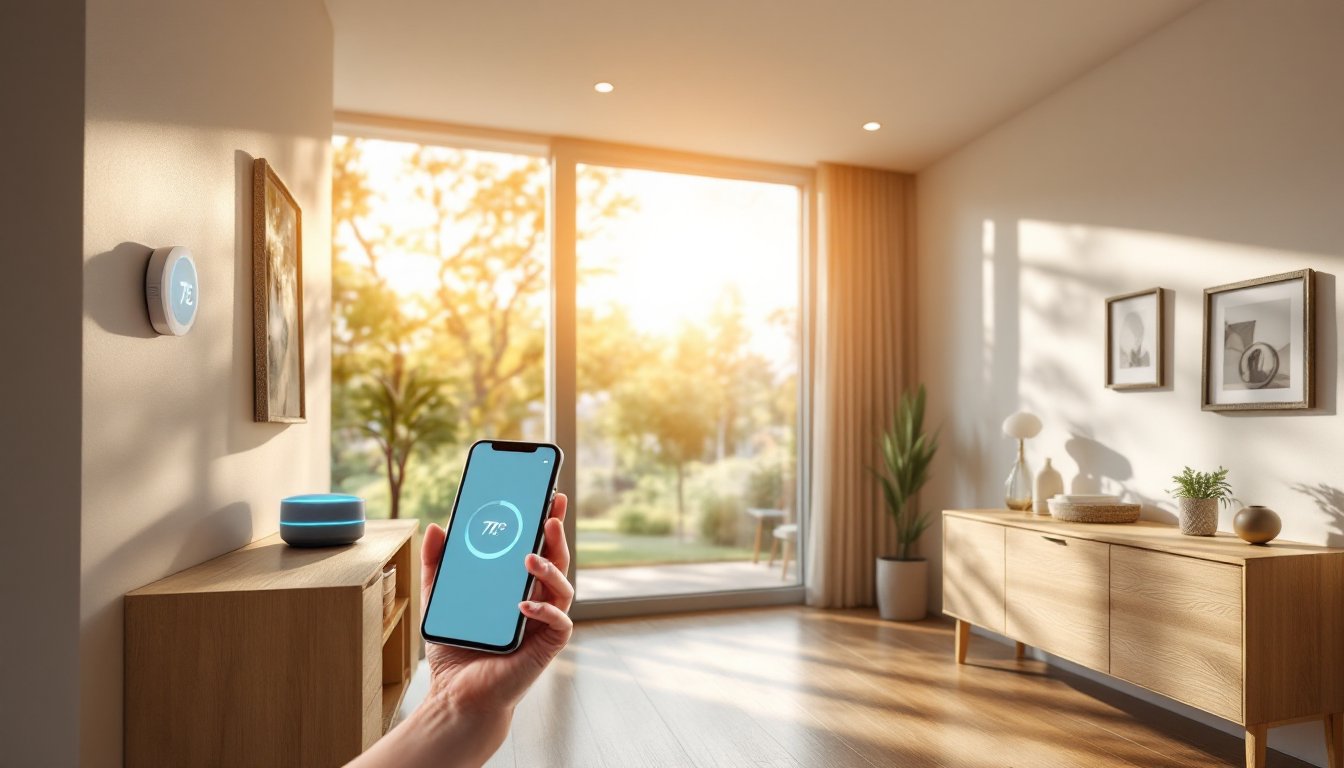
Climate and Energy Bundles include smart thermostats, temperature sensors, smart vents, or smart plug monitoring. Ideal if you’re chasing lower utility bills. Smart thermostats reduce heating/cooling costs by 10–15% annually. Installation varies: thermostats may require rewiring (clear instructions and videos help), but most DIYers can manage it. Expect $150–350 for a thermostat plus sensors and smart plugs.
Whole-Home Hubs and Starter Bundles package a central hub, assistant, several light bulbs, plugs, and a motion sensor. These are best for beginners starting from scratch. They run $120–300 and let you expand gradually. You can explore the best smart home devices to understand what’s commonly bundled and what works for expansion.
Entertainment and Audio Bundles combine smart speakers, displays, and streaming integrations. Less about home control, more about convenience and entertainment. Pricing ranges from $100–400 depending on speaker count and display quality.
How to Choose the Right Smart Home Bundle for Your Needs
Start by identifying your primary pain point. Are you cold in winter and want better heating control? Tired of getting up to turn off lights? Worried about break-ins? That focus helps you choose a bundle that delivers immediate value rather than a pile of gadgets you’ll ignore.
Check which ecosystem you already use or prefer. Amazon Alexa has the widest device range and is generally cheapest. Google Home integrates beautifully with Android phones and services. Apple HomeKit prioritizes privacy and works best if you’re already in the Apple ecosystem. This choice locks you in (mostly), so decide before buying. Many smart home product reviews compare ecosystem strengths and weaknesses in detail.
Measure your home’s internet and WiFi strength. Smart devices rely on steady connectivity. A bundle won’t function well if your WiFi signal is weak in key areas. Consider upgrading your router or adding mesh WiFi before purchasing.
Read the fine print: does the bundle require a separate hub (a physical device that acts as the brain), or is the voice assistant itself the hub? Hubs can add $50–100 to your cost but improve reliability and range. Also confirm what’s included: some bundles advertise “six devices” but one is just the voice assistant’s power cord.
Finally, think expansion. Choose a bundle compatible with devices you might add later. An expandable ecosystem beats a dead-end bargain.
Installation and Setup Tips for Beginners
Most smart home bundles come with straightforward plug-and-play setup. Here’s a typical workflow:
Pre-Installation Checklist:
- Download the manufacturer’s mobile app before opening devices.
- Note your WiFi network name and password.
- Check that your router is less than two years old and supports 2.4 GHz (many smart devices don’t use 5 GHz).
- Read the quick-start guide, even if it feels obvious.
Setup Steps:
- Place the hub or speaker in a central location, preferably on a shelf or elevated surface. Avoid closets or metal cabinets, which block signal.
- Plug in the hub and follow the app prompts to connect it to your WiFi and register your account.
- Add devices one at a time through the app. Most have a pairing button you hold for a few seconds.
- Name each device clearly (“Living Room Lights,” not “Light 1”) so voice commands work smoothly.
- Test each device before securing it in place. Flip switches, ask your voice assistant for status, check your phone app.
- Set up automation routines once all devices are confirmed working. Start simple: “turn off all lights at 11 PM” or “dim bedroom lights at sunset.”
Common Beginner Mistakes:
- Assuming devices auto-connect. They don’t: you must add them manually.
- Placing the hub too far from devices or in interference-prone locations (kitchens with metal appliances, bathrooms with heavy moisture).
- Skipping security settings. Use a strong password and enable two-factor authentication on your account.
- Plugging too many high-power devices into smart plugs. Most handle up to 15 amps: space heaters and microwaves will exceed that.
If a device won’t connect, restart both the device and your WiFi router, move it closer to the hub temporarily, and check for firmware updates in the app. Most connection issues resolve within a few minutes. For more complex setups, smart home system installation guides walk through integration step-by-step.
Independent reviews from CNET and Digital Trends often include video walkthroughs of bundle unboxing and setup, which can ease first-time jitters. For installation requiring electrical work (like a smart thermostat), don’t hesitate to call a licensed electrician. It costs $100–200 and guarantees safety.