Table of Contents
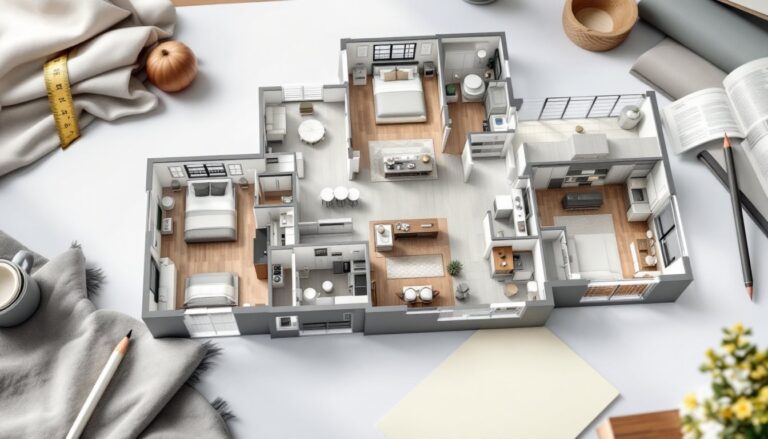
TogglePlanning a kitchen renovation doesn’t require expensive design software or professional fees. Whether you’re rearranging cabinets, repositioning appliances, or starting from scratch, free kitchen design software puts layout control in your hands. These tools let homeowners visualize changes before breaking down walls or ordering materials, saving time, money, and regret. In 2026, the best free options offer realistic 2D and 3D rendering, dimension tools, and material libraries that once cost hundreds. This guide walks through top contenders and shows you how to avoid costly design mistakes before a single nail goes in.
Key Takeaways
- Free kitchen design software empowers homeowners to visualize layouts and catch workflow problems before renovation begins, saving significant time and money.
- Top contenders like SketchUp Free, Cabinet Vision Essentials, Planner 5D, and RoomSketcher offer 2D and 3D rendering capabilities without expensive software fees.
- Accurate measurements of walls, appliances, utilities, and ceiling height are essential before starting your kitchen design to prevent costly mistakes.
- Apply the kitchen work triangle principle—keeping the fridge, cook, and sink 4 to 9 feet apart—to ensure natural workflow and functional layouts.
- Always verify cabinet sizes against real product specifications and account for clearances, appliance door swings, and existing utilities before finalizing your design.
- Combine free design software for layout with contractor or designer review to catch code compliance issues and ensure your kitchen design meets safety and accessibility standards.
Why Use Kitchen Design Software for DIY Planning
Kitchen projects live or die in the planning phase. A free design tool prevents the “I wish I’d measured twice” moment. You catch workflow problems, like an island blocking the path between sink and refrigerator, before drywall gets torn out. Spatial reasoning is hard without a visual: software lets you test cabinet depths, appliance placements, and traffic patterns in minutes.
These tools also handle the math. If your countertop is 96 inches and you’re fitting a 30-inch range with 6-inch gaps on each side, the software catches the mismatch before the contractor arrives. You’ll also use design files to get accurate material and appliance quotes. Contractors and fabricators often prefer digital layouts over sketches, they reduce misunderstandings and callbacks.
For cosmetic tweaks (hardware swaps, paint colors, lighting placement), design software is practically free insurance. For structural changes, moving plumbing, electrical, load-bearing walls, or gas lines, you’ll still need permits and licensed pros, but the software clarifies scope so you know when to call them.
Top Free Kitchen Design Tools to Consider
SketchUp Free and Cabinet Vision Essentials
SketchUp Free is the workhorse for DIY kitchen layouts. It’s 2D-to-3D capable, intuitive for beginners, and runs in any browser without installation. You draw walls, place cabinets, and rotate views in seconds. The learning curve is gentler than professional CAD, and thousands of free furniture and appliance models populate the 3D Warehouse. For kitchen work, you’ll draw walls to scale, drop in cabinet blocks (or download realistic models), position appliances, and view your design from eye level to spot sightlines and proportions.
The catch: SketchUp Free has limited measurement precision for complex millwork and no built-in kitchen fixture library, so you may sketch basic cabinet shapes and label them by hand or hunt for models. Still, it’s powerful enough for layout decisions.
Cabinet Vision Essentials is a step up if you want kitchen-specific tools. It’s free and includes countertop calculators, cabinet layouts, and finish options. Load your room dimensions, place stock cabinet sizes from real-world manufacturers, and adjust countertop overhangs and backsplash heights. It doesn’t render as prettily as SketchUp but handles kitchen math precisely, crucial if you’re buying pre-fab cabinets.
Planner 5D and RoomSketcher Free Versions
Planner 5D offers a friendly, visual approach. It’s web-based and works on tablets, making it handy for sketching ideas on the sofa or in the kitchen itself. The free version includes a decent library of kitchen appliances, fixtures, and finishes. You place items by drag-and-drop, and the software auto-snaps them to walls and grids. Rendering quality is decent for client presentations or simply seeing what your kitchen feels like with new colors or layouts.
Limitations: The free tier restricts the number of projects and excludes some premium finishes. For one or two kitchens, it’s fine.
RoomSketcher Free is similar in spirit, web-based, intuitive, and light on learning curve. It features 2D and 3D modes, and dimensions are auto-calculated. The free plan covers basic projects, though material and finish libraries are slimmer than paid competitors. If you only need to check cabinet placement and appliance alignment, RoomSketcher gets the job done. Many homeowners use it to send rough layouts to contractors for feedback before investing in detailed software.
How to Get Started With Your First Kitchen Layout
Start by measuring your kitchen accurately. Grab a 25-foot or longer measuring tape, a notebook, and either a phone camera or sketch pad. Measure wall lengths (mark doors, windows, and trim), appliance placements, cabinet depths, and ceiling height. Jot down electrical outlets, gas lines, plumbing connections, and HVAC vents. If walls aren’t square (common in older homes), measure diagonals and note the variance. These details catch hidden constraints before you design.
Once you pick a software (SketchUp or Planner 5D for most DIYers), open a new project and set the right unit system (feet/inches for US work). Draw or import your room outline, making sure scale matches reality. If your kitchen is 12 feet by 16 feet, verify the software shows those proportions.
Next, place your appliances, refrigerator, stove, sink, and any islands or peninsulas. Position them according to the kitchen work triangle principle: distances between the three main work zones (fridge, cook, sink) should feel natural, typically 4 to 9 feet apart. Add cabinet runs, specify depths (standard is 24 inches for base cabinets, 12 inches for uppers), and note overhead clearances for islands or peninsulas.
Do a visual walkthrough: rotate to a 3D view or eye-level perspective and imagine yourself cooking. Can you open the fridge without bumping a knee? Does traffic flow from the kitchen to the dining area without crossing work zones? Save multiple versions so you can compare layouts. Check kitchen design trends for inspiration on style, but let function drive layout. Share your digital file with a contractor or designer friend for a second opinion, fresh eyes often spot issues you’ve grown blind to.
Common Mistakes to Avoid When Designing Your Kitchen
Ignoring existing utilities. New appliances rarely fit in old openings without moving gas lines, water, or electrical. Check where each runs before locking a layout. A dishwasher positioned two feet away from plumbing means rerouting, expensive and sometimes code-restricted.
Underestimating clearances. Software shows dimensions but not how a 36-inch-wide passage feels when the fridge is open. In tight kitchens, open door swings need 3 extra feet of floor space. An island in a 10-foot-wide kitchen may block everything. Build in breathing room.
Forgetting about overlap zones. If two people cook simultaneously, appliances shouldn’t compete for the same counter space. Simulate a realistic workflow, one person at the sink, another at the range, and see if there’s room to move.
Skipping material research before finalizing layout. Cabinet sizes come in standard increments (typically 3-inch steps: 24, 27, 30, 33 inches wide). If your layout demands a 32-inch gap, you’ll need custom cabinetry or creative filler. Check real product specs early so your design matches inventory.
Miscalculating countertop overhangs. A typical overhang is 1.5 inches for sink-side counters and 12-15 inches for a seating overhang on islands. These eat into your floor footprint. Account for them in software or note them clearly.
Assuming one design software does everything. Most free tools excel at layout but lack finish realism. Use SketchUp or Cabinet Vision to nail proportions, then browse kitchen design inspiration or residential design galleries for color and material ideas. Combine strengths: functional layout from software, aesthetic inspiration from design galleries.
Forgetting about permits and codes. If you’re moving plumbing, electrical, or load-bearing walls, your beautiful design needs professional review and permits. Recent standards for kitchen remodels emphasize accessibility and safety, wider aisles, accessible cabinets, proper ventilation. A free tool doesn’t check code compliance: you do that assignments alongside design. Also consider handleless kitchen cabinets and other modern styles that layer aesthetic appeal onto functional layouts.
Conclusion
Free kitchen design software removes the biggest barrier to DIY planning, visualization. Whether you choose SketchUp Free for flexibility, Cabinet Vision Essentials for kitchen-specific math, or Planner 5D for ease of use, the tool matters less than the discipline: measure twice, think through workflow, respect existing utilities, and verify dimensions against real products. A solid layout catches problems before you spend money. Pair your digital design with a contractor’s or designer’s review for a second set of eyes, and you’ll avoid the costly surprises that derail kitchen projects. Start simple, iterate, and trust the software to prove your ideas before swinging a hammer.