Table of Contents
ToggleRenovating a bathroom without a clear visual plan is like framing a wall without checking your studs, you’ll end up with costly mistakes. Free bathroom design software lets you map out tiles, fixtures, lighting, and color schemes before you buy a single thing or tear out old materials. Whether you’re relocating plumbing, reconfiguring the layout, or just refreshing the vanity, these tools help you test ideas, catch spatial conflicts, and stay within budget. The right design software can save you thousands in wasted materials and contractor back-and-forths. You don’t need professional CAD experience to use them, either.
Key Takeaways
- Free bathroom design software lets you visualize tiles, fixtures, lighting, and layouts before purchasing materials, potentially saving thousands in wasted costs and contractor rework.
- Browser-based tools like Floorplanner and Planner 5D offer quick 2D mockups with instant 3D rendering, while SketchUp Free and mobile apps provide more detailed spatial accuracy for complex renovations.
- Accurate measurements and starting with a 2D floor plan prevents costly design mistakes by catching spatial conflicts like plumbing conflicts, door swing interference, and ventilation placement issues early.
- Choose your bathroom design software based on project scope—quick cosmetic updates need simple drag-and-drop tools, while plumbing or layout changes require 3D precision and detailed fixture libraries.
- Export your final design as a PDF or shareable link to communicate your vision clearly with contractors, streamline permit approvals, and prevent scope creep from miscommunication.
- Plan electrical, plumbing, and ventilation placement within your design software before construction to avoid expensive mid-project rework and structural conflicts.
Why Free Bathroom Design Tools Matter for Your Renovation
A bathroom renovation touches plumbing, electrical, ventilation, and structural considerations, each one capable of derailing a project if overlooked. Design software catches these issues on a digital mockup, not mid-demo. You’ll spot conflicts like a toilet placement that eats into foot traffic, or a vanity that blocks the door swing. Beyond logistics, these tools let you experiment with finishes without commitment. You can swap tile colors, adjust cabinet sizes, and test lighting placement in real time.
Most homeowners pull inspiration from Pinterest or magazines without thinking about how those designs fit their actual square footage and plumbing rough-in. Free tools force that practical conversation. They also document your vision clearly for contractors, no more “I’ll know it when I see it” conversations that lead to scope creep. If you’re pulling permits or hiring trades (plumbers, electricians), having a design drawing speeds approvals and bid accuracy. Even if you’re doing cosmetic work, seeing a finished render helps you commit to a color scheme or material grade before checkout.
Top Free Bathroom Design Software Options
Browser-Based Tools for Quick Mockups
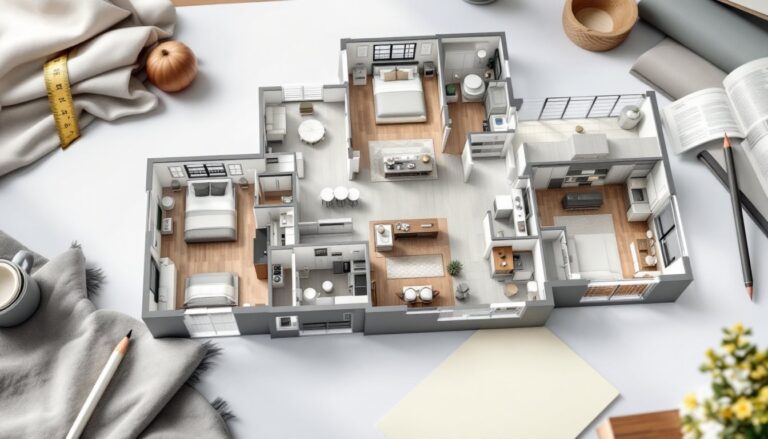
Floorplanner and Planner 5D run in your web browser, requiring no download or installation. You sketch your bathroom layout, drag in fixtures from their libraries, and watch a 3D render update in seconds. These tools are fast for rough concepts, useful if you’re deciding between a single vanity and a double, or testing a freestanding tub placement. The fixture libraries are decent but not exhaustive: you may find generic “bathtub” rather than the specific model you’re buying.
Lucidchart (free version) and Google Slides (if you’re budget-conscious) can also work for 2D floor plans and dimension notes, though they lack the 3D preview and fixture libraries that specialized tools offer. Browser-based tools shine for sharing: you email a link, and a contractor or spouse can view and comment in real time. Load times vary by your internet speed, but they’re generally snappy on modern connections.
Desktop and Mobile Apps for Detailed Planning
SketchUp Free (the browser-based version) is a workhorse for bathroom design. It has a gentler learning curve than the Pro version, and the 3D library includes thousands of bathroom fixtures. You can model your walls, test cabinet sizes (standard vanity depths are 21 inches, widths range 24 to 60 inches), and check sight lines from doorways. SketchUp isn’t bathroom-specific, so setup takes longer, but the payoff is precise spatial reasoning.
Bathroom Design 3D (available on Android and iOS) strips away the learning curve, it’s touch-friendly, has bathroom-focused fixture templates, and generates a rendered view in minutes. You input room dimensions, drag fixtures into place, and experiment with color and material finishes. The free tier limits some advanced options (like creating custom shelving), but it covers the basics well.
Desktop apps like Home Improvement 3D or Homestyler (free plan) bridge the gap: they’re more powerful than quick mockup tools but simpler than professional CAD. They’re best if you’re planning detailed cabinet layouts, testing under-sink storage, or working out tile patterns before ordering. Homestyler specifically pulls real products from retailers, so the dimensions and finishes you see are closer to what you’ll actually buy.
How to Choose the Right Tool for Your Project
Start by defining scope. If you’re repainting and swapping the vanity, a quick 2D mockup in Planner 5D takes an afternoon and solves your color and layout questions. If you’re moving plumbing, reworking ventilation, or reconfiguring the whole footprint, you need 3D spatial accuracy, SketchUp Free or a dedicated bathroom app is worth the learning curve.
Consider your comfort with technology. Floorplanner and Planner 5D have intuitive drag-and-drop interfaces: you’re usually productive in 15 minutes. SketchUp has more depth but steeper onboarding. If you’re older, less tech-savvy, or just don’t want to fiddle, pick the simplest tool that covers your needs.
Think about collaboration. If you’re hiring a contractor, a tool that exports to PDF or generates a shareable link (like Planner 5D or Lucidchart) saves friction. A plumber or electrician can annotate it directly, flagging conflicts or code issues before rough-in. If you’re solo and just need to decide on your own, SketchUp or a mobile app works fine in private.
Fixture library matters if you’re choosing specific products. Some tools let you upload images of fixtures you’re considering: others have generic placeholders. If precision matters, say, you’re testing whether a 30-inch-wide vanity fits in a tight corner, measure twice and verify the tool’s dimensions match reality. Don’t assume a “vanity” template in a free tool matches the actual model you’re buying.
Getting Started: Tips for Using Bathroom Design Software
Measure your space accurately. Use a 25-foot tape measure and note the location of windows, doors, vents, and plumbing lines (rough-in heights for toilets are 12 inches from the wall, but verify your home, older houses sometimes vary). Jot down wall lengths to the nearest eighth of an inch, and photograph existing fixtures and finishes for reference. Sloppy measurements make a pretty render worthless.
Start in 2D before 3D. Sketch your floor plan first, marking obstacles like a window or a vent chase that can’t move. This ten-minute step prevents you from designing a gorgeous layout that’s structurally impossible. Most design software walks you through this naturally, but rushing it is a common mistake.
Test proportions, not just aesthetics. A large soaking tub looks lovely in a render but leaves no room to move if your bathroom is 8 by 10 feet (common in older homes). Walk your phone around the rendered space, or export the view and print it to visualize scale. Design blogs like Houzz and Remodelista show finished bathrooms, but they rarely note the actual footprint, use your software to reality-check before falling in love.
Plan lighting and ventilation early. Exhaust vent placement (typically 6 inches from the ceiling) conflicts with recessed lights if you don’t coordinate. Sconces beside the mirror need electrical runs from the panel. These aren’t cosmetic details, they affect framing and mechanical rough-in. A design tool that lets you place vents and lights prevents expensive rework later.
Export and share. Once you’ve locked in a layout, generate a PDF or high-res image for your contractors, your spouse, or your permit application. Many jurisdictions require a floor plan with dimensions for bathroom permits, and a software render beats hand-sketched drawings.
Conclusion
Free bathroom design software puts professional-grade visualization in your hands before you commit to a contractor or order materials. Whether you choose a quick browser mockup or invest time in a detailed 3D model, the investment pays off in clearer decisions, fewer surprises, and smoother conversations with trades. Start with accurate measurements, test your layout in 2D, and don’t skip the practical details, plumbing, ventilation, electrical. A few hours with the right tool now beats expensive revisions later.